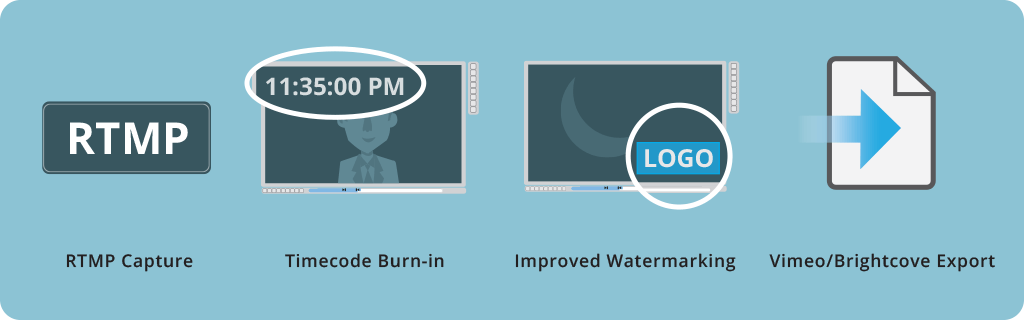
SnapStream 8.3 adds RTMP Capture, Faster Searching and Reindexing, Brightcove and Vimeo Export, Improved Watermarking, Video-embedded Timecodes and more. We'll be walking through the new software during a webinar on Wednesday, September 13th at 2pm CDT. Check the new additions and improvements we've made:
What’s New in SnapStream 8.2
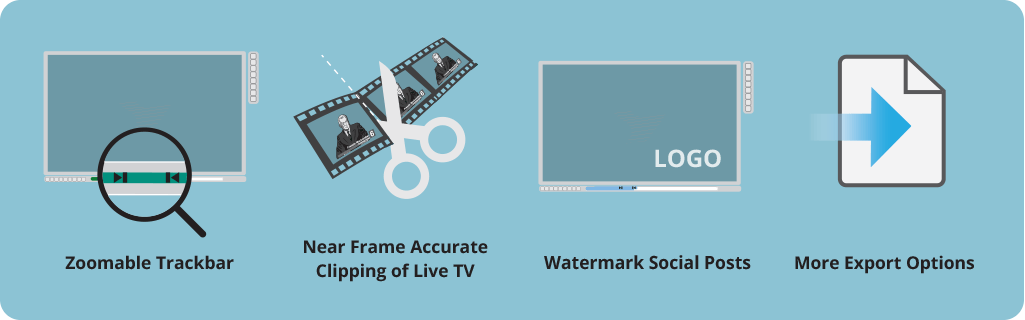
SnapStream 8.2 is here with some cool new features including a Zoomable Trackbar, watermarking social posts and new social stats. We'll be walking through the new software during a webinar on Tuesday, June 6th at 2pm. Check the new additions and improvements we've made:
What’s New in SnapStream 8.1
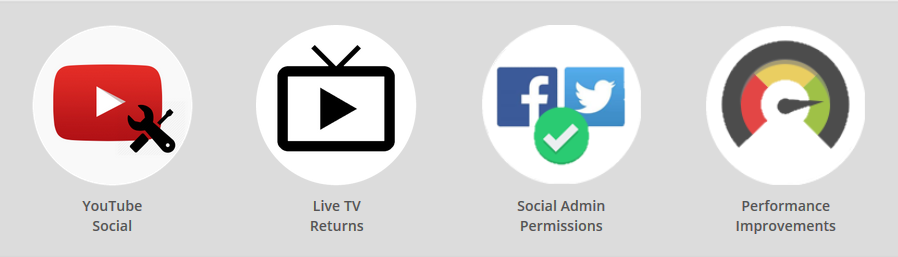
SnapStream 8.1 is here with some awesome new features and serious performance improvements. We'll be walking through the new software during a webinar on Tuesday, February 7th at 2pm. Check the new additions and improvements we've made:
Keyboard Shortcuts for Clipping and Watching TV
SnapStream makes it easy to quickly grab a segment from live or recorded TV. While you can easily click on the captions or on the SnapStream progress bar to jump to a point in the recording, we wanted to provide our power-users with an even quicker method to effortlessly review a recording and create clips.
SnapStream Advanced: Timecoded Tags
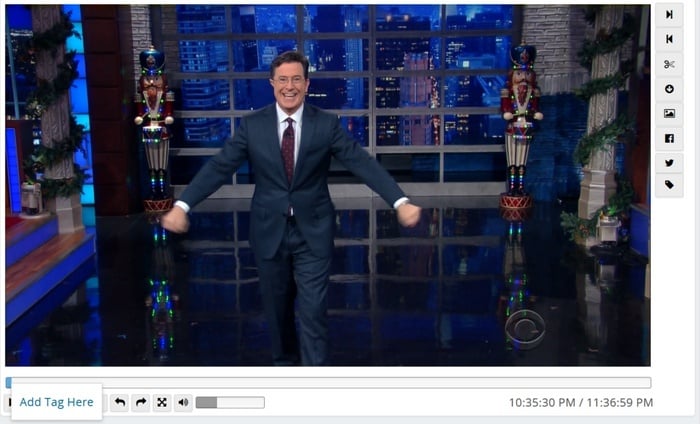
Timecoded tags reference specific moments during a recording. Using timecoded tags, you can identify and tag visual cues, non-verbal content and other important information that might not show up in the closed captioning or program guide data of your recording. Timecoded tags can be helpful in identifying and reviewing similar moments from different recordings.
Need to find each time a character makes a silly face? A time-coded tag called "silly face" would help you catalog and search on these specific moments in your library. It's simple to create and search for timecoded tags in SnapStream. Find out how below:
New release! SnapStream 5.4
| What's new in SnapStream 5.4 | ||||||||||||||||||||||||||||||||||||||
|
||||||||||||||||||||||||||||||||||||||
Get Your Hands On SnapStream 5.2
Modulating your own unencrypted QAM (aka how to record/search high-definition TV)
Updated 11/3/2017: added new information about creating a Digital TV head-end in the cloud
Updated 10/18/2011: added information on Drake's HDMI to QAM / HD encoder products-- the DSE24 and the HDE24.
How to create your own (analog) cable TV head-end
Updated 11/03/2017: added new information on creating a TV headend in the Cloud.
Based out of Houston, SnapStream has been making TV distribution and recording products for over a decade.
TV Networks, TV Shows, Media/News sites , K-12 Schools, Government departments, Journalism colleges and dozens of local TV stations use SnapStream to distribute, record, search, clip and to post clips to Twitter/Facebook.
While most organizations are now looking to create their own digital TV head-end, there are still some who want to go the analog route. This article is for those customers.
New - How to create your own digital (IP) TV head-end in the Cloud

Win a Year of Free Maintenance!
Those VCRs collecting dust around your office are so 20th century — and we know you've been dying to upgrade. So we've created a cost-effective means for you to update your media-monitoring technology, and we're offering you a chance to win an extra 12 months of free service to boot.
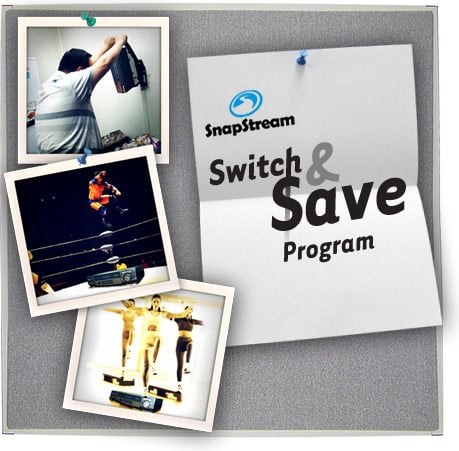
How? Just purchase a SnapStream Server through our new "Switch and Save" program, and we’ll automatically give you a year of maintenance for free (a $1,200 to $3,000 value). Then, once you've installed your new gear, send us a picture of how you and your staff have cleverly dismantled and responsibly disposed of your obsolete systems.* We'll post the images of your handiwork alongside that of others on our Web site. Be as creative as you can, because we'll bestow an additional year of free maintenance upon whoever sends us the best shot.
What's more: Because the SnapStream Server can shorten the task of media monitoring to mere seconds, your organization will save additional time and money. Our digital technology lets you and your colleagues record thousands of hours of television to a centralized appliance, and then locate specific clips by topic, using closed captioning for search. You can copy any relevant video to your PC’s hard drive. It’s that quick and easy!
So, what are you waiting for? Click here to get more information about "Switch and Save" and the SnapStream Server.
*Please recycle. Or ship the parts to us, and we’ll recycle them for you.
What is SnapStream? There's an unlimited amount of video content out there: 24/7 news channels, breaking news events, sports, talk shows, awards galas, entertainment shows, and so much more.
SnapStream makes a real-time news and media search engine that makes it fast and easy to find the video moments that support our customers telling great stories.
Posts by Topic
- General TV Search (165)
- Technology Development (28)
- Support Corner (26)
- Television and Film Production (26)
- Social TV (24)
- Broadcast Monitoring (23)
- TV Trends (23)
- Tradeshows (23)
- news (23)
- Government (19)
- Release (19)
- Fun (16)
- Journalism (16)
- Politics (16)
- TV search (16)
- Education (14)
- Newsmedia (13)
- new product (13)
- updates (13)
- Entertainment (11)
- Video Clips (10)
- broadcast compliance (10)
- broadcast monitoring and compliance (10)
- social engagement (10)
- Twitter TV clips (8)
- Local TV stations (7)
- TV Monitoring/PR (7)
- Meet Team SnapStream (6)
- SnapStream News (6)
- Social in Sports (6)
- social sharing (6)
- livecut (5)
- City Government (4)
- International (4)
- Sports (4)
- media monitoring (4)
- snappytv (4)
- thought leadership (4)
- Addressable Advertising (3)
- CALM Act (3)
- Case Study (3)
- Context (3)
- Facebook TV clips (3)
- LKFS (3)
- Resources (3)
- SnapStream Cloud (3)
- SnapStream Enterprise (3)
- Streams (3)
- TV closed-captioning search (3)
- avoidance (3)
- clipping (3)
- ditigal (3)
- loudness compliance (3)
- misinformation (3)
- snappytv alternative (3)
- snappytv replacement (3)
- television monitoring (3)
- 8.3 (2)
- 8.5 (2)
- Advertising (2)
- How-to (2)
- Influencers (2)
- Jschool (2)
- News Satire (2)
- Pew Research (2)
- Radio Production (2)
- SnapStream (2)
- SnapStream Advanced (2)
- The Colbert Report (2)
- The Daily Show with Jon Stewart (2)
- Training (2)
- blog post (2)
- covid (2)
- covid-19 (2)
- election (2)
- live clipping (2)
- live video (2)
- loudness monitoring (2)
- media technology (2)
- trust (2)
- veracity (2)
- 8.1 (1)
- 8.2 (1)
- 9.1 (1)
- 9.2 (1)
- 9.3 (1)
- 9.4 (1)
- AEJMC (1)
- Barack Obama (1)
- Bloomberg TV (1)
- Fake News (1)
- H.264 (1)
- HLS (1)
- Hockey (1)
- Holiday (1)
- Houston tech (1)
- ISTE (1)
- Infotainment (1)
- International News Satire TV Shows (1)
- Lebron James (1)
- Libary (1)
- Local TV News (1)
- MVPD (1)
- MVPDs (1)
- Market Makers (1)
- Merging (1)
- Multi-viewer (1)
- NHL (1)
- Nancy Jennings (1)
- News Satire TV Shows in Other Countries (1)
- ONA21 (1)
- PIO (1)
- Playlists (1)
- Quality Assurance (1)
- RTMP (1)
- Reviewing Clips (1)
- STB (1)
- Satirical TV Shows (1)
- SnapStream 9.3 (1)
- SnapStream 9.4 (1)
- SnapStream 9.5 (1)
- SnapStream Interview (1)
- SnapStream Server (1)
- St. Louis Blues (1)
- Summer News (1)
- Super Bowl Commercials (1)
- Switch and Save (1)
- Uploading (1)
- Volicon (1)
- Webplayer (1)
- World Cup (1)
- Zoom (1)
- accessibility in broadcast (1)
- blogging (1)
- broadcast accessibility (1)
- broadcast tv accessibility (1)
- cable networks (1)
- closed captioning (1)
- closed captioning compliance (1)
- closed captions (1)
- content analysis (1)
- cto (1)
- customer appreciation (1)
- customers (1)
- debates (1)
- deep (1)
- deepfake (1)
- director of technology (1)
- edtech (1)
- encoder (1)
- explainer (1)
- fake (1)
- fan engagement (1)
- fire department (1)
- free server maintenance (1)
- innovation (1)
- live event (1)
- local tv (1)
- managed tv (1)
- media (1)
- monetization (1)
- online (1)
- podcast (1)
- police department (1)
- press release (1)
- public information officer (1)
- ratings (1)
- recording (1)
- remote work (1)
- set-top box (1)
- sharing (1)
- snapstream 9.6 (1)
- transmission engineering (1)
- tv alerts (1)
- tv networks (1)
- watchespn app (1)
- webinar (1)
- workspace (1)