

SnapStream Blog

Content Meets Context: The Power of Video with Aaron Rupar

October 15 2020 by Juliette Richert
Since graduating recently from Rice University, guest writer Juliette Richert is continuing her education by listening to as many podcasts about politics, culture, and society as she can get her hands on.

Given Aaron Rupar’s half a million Twitter followers, his work is obviously popular, but why? As a millennial, I haven’t turned on cable TV in more than 5 years. Like much of my generation and the country, I get my news from the Internet and social media. Using short videos to share news stories on his Twitter feed and in his writing with Vox, Rupar connects Internet and social media users to the world of TV watchers, shedding light on the filter through which much of America receives news and information.
SnapStream Advanced: Uploading Media

October 19 2016 by Eric Cohn

In our next post outlining advanced features of the SnapStream software, we'll take a look at uploading video and audio into your media library. Like playlists and merging, SnapStream's uploading feature is a great advanced tool for SnapStream power-users.

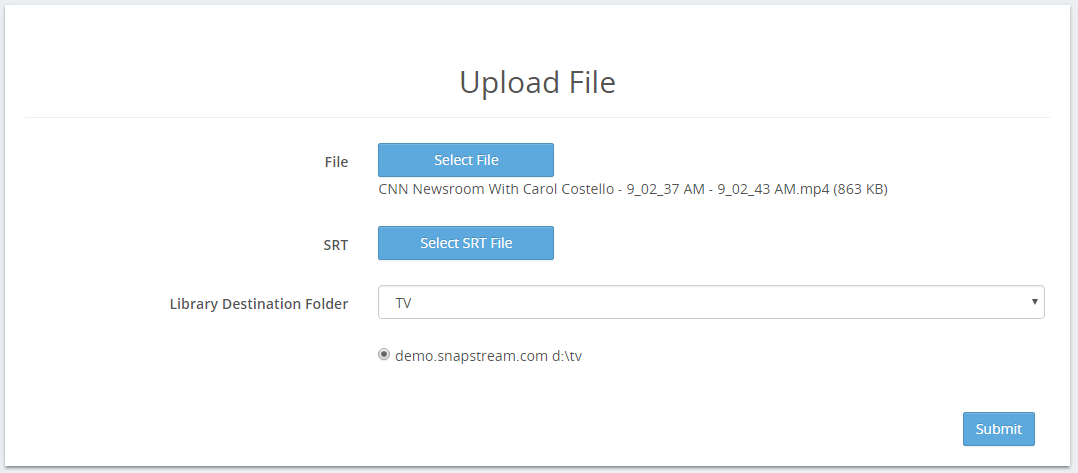
Using SnapStream's upload functionality, you can add compatible video and audio content directly into your SnapStream library. Once it has been uploaded, you can use the full suite of SnapStream's features to create social media posts, clip, share and transcode the clips. Follow along below to learn how you can use this great feature.

What is SnapStream? There's an unlimited amount of video content out there: 24/7 news channels, breaking news events, sports, talk shows, awards galas, entertainment shows, and so much more.

SnapStream makes a real-time news and media search engine that makes it fast and easy to find the video moments that support our customers telling great stories.

Posts by Topic

see all